
An agile principle is to prefer face to face communication – “the most efficient and effective method of conveying information to and within a development team is face-to-face conversation.” This can be challenging in teams with flexible working options or who aren’t co-located. My company prides itself in its flexible work policy and supports flexible work arrangements but these arrangements aren’t always conducive to Scrum. Scrum benefits from co-located teams but this simply isn’t possible for some groups for a variety of reasons.
The image of a team clustered around a Scrum board is so ingrained in agile that the idea of an electronic board is taboo for many coaches. One of my favorite agile coaches loves physical boards — the physical interaction and act of writing Post-It notes is tangible, tactical and feels like progress to her. And it usually is. Another of my agile coaching colleagues simply believes that a physical board is needed to encourage communication, collaboration and build focus.
But if the team isn’t all co-located or not everyone can attend stand-ups in person, how do you share a physical Scrum board? In our newly technical age, I’ve tried a few things including snapping pictures with cell phones and mailing them to the group and using FaceTime to allow remote people to see the board and provide their updates. But these options miss the interaction and require ‘Post-It Proxies’ to move your stickies for you. It’s a shared board but not shared interaction and it certainly isn’t the best we can do with the technologies we have.
Electronic Scrum Boards
To me, electronic Scrum boards are absolutely the way to go. I’m in technology and I live and breathe data. For small Scrum teams, I prefer a product called Scrumwise for managing sprints – it’s quick, easy, and (most importantly) it is fun and versatile! Scrumwise isn’t a good tool for large implementations or for project management. All it does is Scrum and Kanban and it does them simply and well. And my teams have easily embraced it.
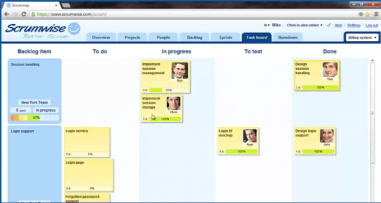
Scrumwise looks and feels a lot like Post-It notes in cyberspace. I think that’s the beauty of it. For teams that aren’t co-located, I like to do stand-ups with video conference so that we still get the personal face-to-face discussion and I have them open Scrumwise from wherever they may be so we can share the board. We are theoretically ‘clustered around the scrum board’ and can interact with it together. Scrumwise is a web-based tool so that when one person moves their tasks around, the other team members can actively see it move.
It also has some simple features to help the team communicate and it is easy to see when changes were made to projects, user stories, tasks, etc. Most electronic boards have these kinds of features, the main difference I’ve seen with Scrumwise is that it is quick with fewer time spent clicking-and-waiting to get work done.
And since I am a business intelligence professional, I love the metrics you get from an electronic board. I acknowledge it is easy to over-do metric tracking but data is important. It helps the team learn how good their estimates are, how they are improving over time, velocity over time, whether certain user story types cause issues more than others, etc. Some teams use a physical board and then enter the results into a tool at the end of their sprint so they can track these metrics. Using an electronic board saves you this extra step.
Things to Watch for When Using an Electronic Board
Updating tasks is not the Scrum Master’s job — teams that are new to Scrum or haven’t yet matured their processes have a tendency to look to the Scrum Master to manage them. Regardless of the kind of board you use to manage your Scrums, Scrum Masters can spend an inappropriate amount of time updating the board and reporting up/out for the team. When you move the team to an electronic board though this can be worse in the beginning. There will be more of a learning curve than with Post-It notes no matter what technology you pick and some team members may be slow to adopt – expecting the Scrum Master to update their tasks for them. It is important to coach them to take responsibility for their own updates and proactively manage the board.
Electronic Boards are Not All Created Equal — There are a variety of electronic board options and they have their strengths and weaknesses. Do your homework to check out the options before picking one – the tool must be quick and easy to keep updated, with fewer clicks to get the work done. The more advanced tools have a lot of options for configuring your board, linking to bugs, etc. but in the end the best scrum board is one that is kept up to date and well liked by the team. I’ve found that the tools with the most features also require the most time to keep updated and time spent updating a board is time not spent on actual development (remember working software over comprehensive documentation).
I’ve used a couple of different electronic boards. If you’re interested in seeing a comparison of them then let me know and I’ll do a future post on their pros and cons.
 BI Over Beers
Leave a comment